Flymap guide
How to track your flight without Wi-Fi
Flight trackers like Flightradar24 and FlightAware are brilliant — on the ground. Open them mid-flight without internet and they go dark. The good news: you don’t need the internet to track the flight you’re sitting on. Your phone can do it by itself, with GPS and a map downloaded before boarding.
Why normal flight trackers don’t work in the air
Live tracker apps don’t talk to planes — they stream positions over the internet from networks of ground receivers that pick up aircraft transponder broadcasts. They’re built to watch other people’s planes from a connected device. Once you’re the one flying, with no data connection, there’s nothing for them to stream — and even paid onboard Wi-Fi is often too slow or restricted for live map apps.
What works instead: your phone’s own GPS
Your phone has the same fundamental instrument the plane uses to know where it is: a GPS receiver. It keeps working in Airplane mode because it only receives satellite signals. Combine it with an offline map of your route and you have a personal flight tracker with no subscription, no onboard Wi-Fi and no coverage gaps.
The 3-minute setup before you board
- Install Flymap (iOS or Android) while you have internet.
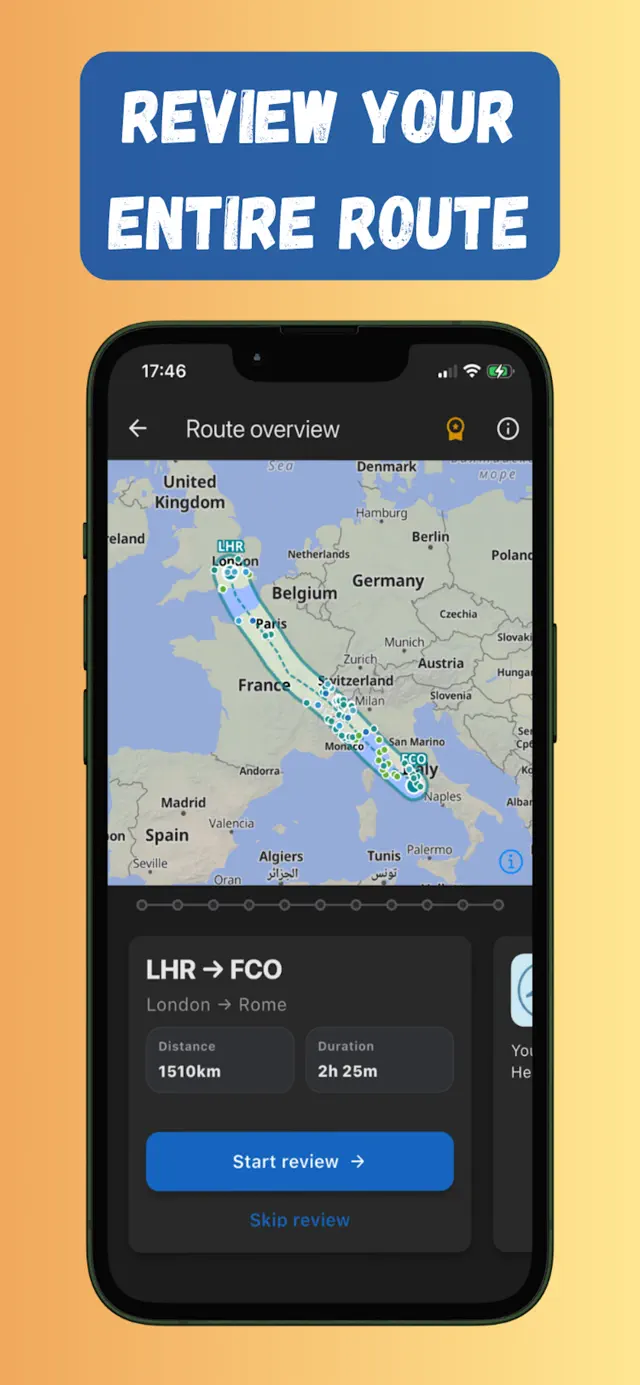
- Enter your departure and arrival airports — Flymap builds the route corridor and shows distance, duration and everything along the way.
- Tap download to save the corridor map and points of interest to your phone.
- On board, enable Airplane mode and open Flymap — grab a window seat if you can for the strongest GPS signal.
What you get in the air
- Your plane on the map — live position over the downloaded corridor, from take-off to landing.
- A flight dashboard — ground speed, altitude, heading and outside air temperature, computed from GPS.
- Route progress — kilometres covered and remaining, with a timeline of countries and landmarks you cross (what am I flying over?).
Frequently asked questions
Does Flightradar24 work in airplane mode?
Not without internet. Flightradar24 streams aircraft positions over the network, so with no connection it can't load data. Your own flight can still be tracked offline using your phone's GPS with maps downloaded in advance.
Can I track my flight over the ocean?
Yes. GPS satellites cover the entire planet, so your position keeps updating over oceans — a place where internet-based trackers often have gaps anyway.
Is tracking my flight with GPS allowed?
Yes. Airplane mode disables transmitting radios; a GPS receiver only listens. Using it is as acceptable as taking photos out the window — just follow crew instructions as usual.
Try it on your next flight
Get Flymap free on iPhone or Android, download your route before boarding, and see what you fly over — no Wi-Fi needed.


Flymap app
Keep reading
Does GPS work in airplane mode?
Short answer: yes. Why your phone’s GPS keeps working with every radio off, why it’s allowed on planes, and how to actually see yourself on a map.
Offline flight maps: see your whole route without internet
What an offline flight map is, why you should download one before boarding, and how to follow your whole route — no Wi-Fi, no roaming.
No seatback screen? How to get a flight map on any airline
Flying an airline with no screens and no Wi-Fi? Turn your own phone into a better moving map than the seatback ever was.